Your child is four or five, can't read yet and has never used a mouse. Still, you keep hearing that "coding should start early". Is there anything worth doing at this age?
Yes, but not on a computer. At this age, the ideas behind coding (following an order, repeating, choosing based on a condition, finding mistakes) are best learned with the body, everyday objects and voices. This article suggests four games that take a few minutes each, with no reading and no screen.
Why a screen can wait
Four- and five-year-olds learn by touching, stepping, looking and talking. Walking three steps and turning left is a "program" your child can feel with their feet. Putting three picture cards in order is writing steps with pictures. Real experiences like these make the ideas stick better than tapping on a screen.
No screen also means you are right there, laughing together when the "program" goes wrong. For young children, playing with someone they love is the most important part.
Following arrows on the floor
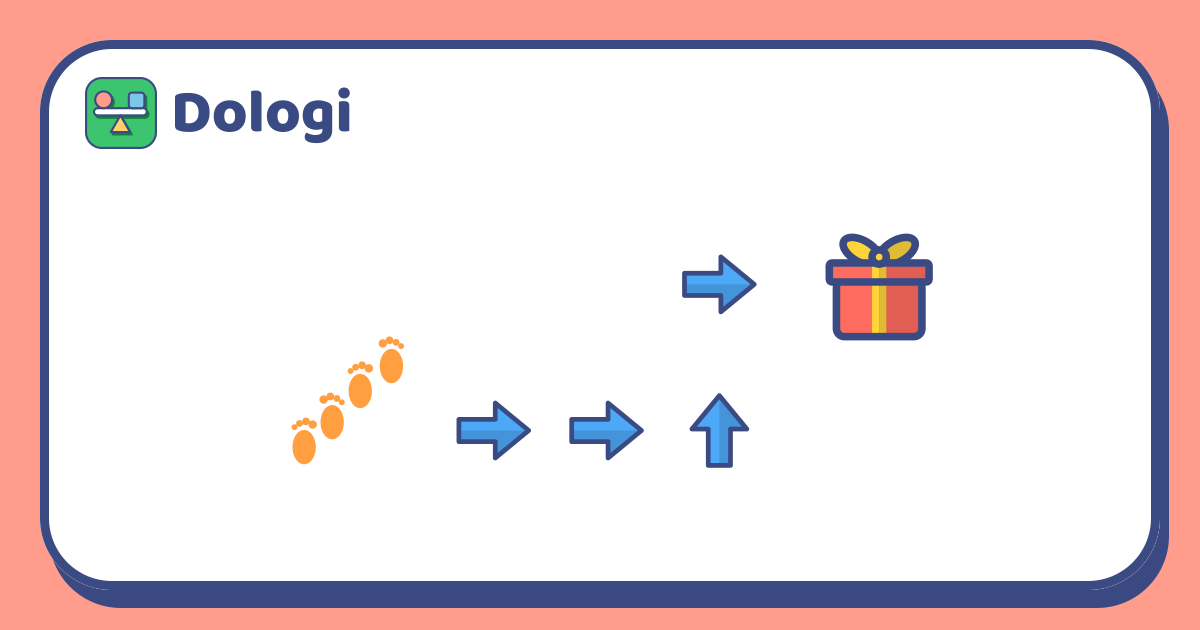
Lay a few sheets of paper with arrows drawn on them (or arrows made of masking tape) in a path across the floor, with a toy or a "treasure" at the end. Your child steps along the arrows: an arrow pointing forward means step forward, an arrow pointing sideways means turn and step.
- First go: three or four arrows in a straight line.
- Harder: add a turn, or let your child lay the arrows for you to follow.
- Swap roles: you become a "robot" that only steps exactly where your child's arrows say. If an arrow is missing, the robot stops halfway, and everyone looks for the gap.
This is the body version of writing commands: each arrow is one step, and the right order gets you to the goal.
Putting picture cards in order
Draw or photograph three or four familiar morning activities as cards: waking up, brushing teeth, eating breakfast, putting on shoes. Shuffle them and ask your child to put them back in order. Ask "what if you put your shoes on before your trousers?" so they see why order matters.
You can make sets for other routines too: washing hands, planting a bean, making a sandwich. Once your child is confident, put one card in the wrong place on purpose and let them find it. That's "debugging", something programmers do every day.
Repeating songs and colour cards
Repeating. Many children's songs have parts that come back again and again. Sing together and ask "which part do we sing again?". Then make up a short dance: clap, clap, jump. Hold up three fingers and say "do the dance three times" instead of describing the whole dance three times: your child is meeting the idea of a loop, a short way to say "do this many times".
If… then… Hold up coloured cards and set a rule: "If the card is red, sit down. If it's blue, stand up." Switch cards quickly for fun, then let your child set the rules for you. This game practises the idea of a condition: what you do depends on what you see. At this age, two rules are plenty, so don't add too many at once.
How long to play and what to say
- A few minutes at a time. Five or ten minutes is enough; stop while your child is still having fun.
- Use simple words. "Step", "again", "if", "mistake" and "fix" are plenty; no need for "algorithm" yet.
- Praise their thinking. "You found the missing arrow!" helps more than "you're so clever".
- Don't push. If your child gets bored, switch games or try another day. Every child is different: some love the stepping games, others prefer the picture cards.
When your child wants to try on a screen, the "Drive the car" puzzles in Dologi ask them to line up arrows so a car collects stars without hitting a wall, very close to the floor arrow game.
In short
- Four- and five-year-olds get to know coding best through their bodies, objects and voices, with no screen needed.
- Following arrows, ordering picture cards, repeating songs and "if… then…" games are four easy starting points.
- Keep it to a few minutes, play together and use simple words.
- Mistakes are the fun part: find and fix them together.
Read more: What is computational thinking? Four skills children use even without a computer