"Where does this video come from, and how does it get onto our tablet?" It sounds like a simple question, yet plenty of adults get stuck answering it. Say "it's on the internet" and the next question follows straight away: what is the internet, and where is it?
This article helps you explain the internet accurately and simply: what it is, how information travels and where data is kept. There is also a message-passing game to play at home today, so your child can see information hop from machine to machine.
The internet is computers linked together
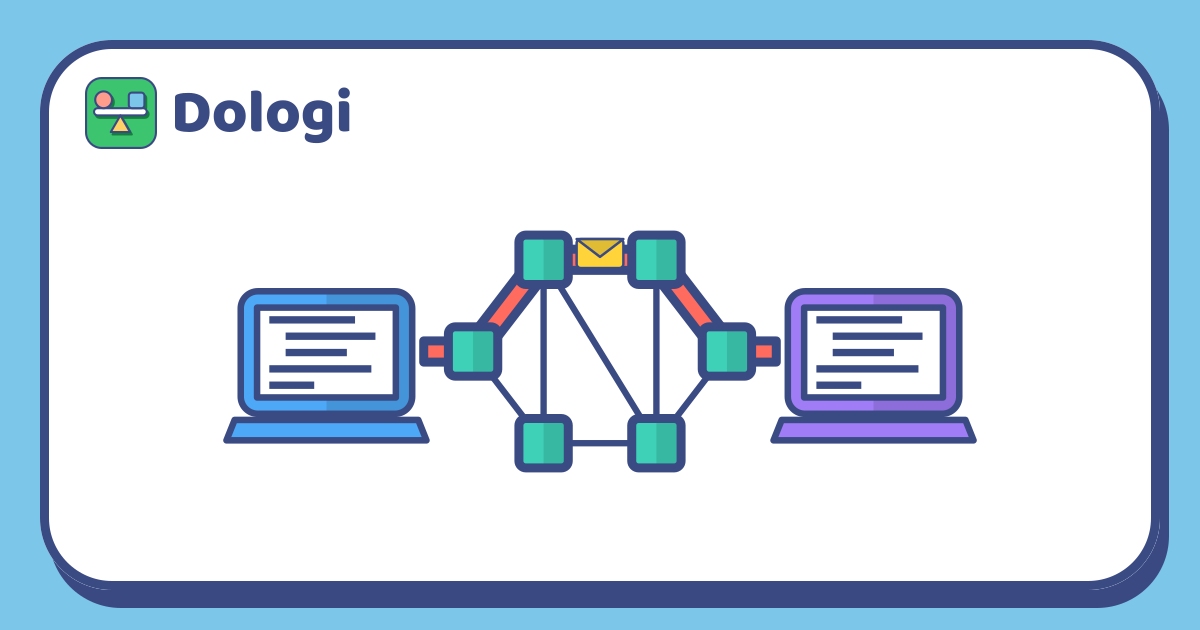
The internet isn't one giant machine, and it isn't somewhere up in the sky. It is a huge number of computers all over the world, linked together so they can send information to each other.
They are linked in several ways:
- Cables run underground, along streets, and even across the sea floor to connect countries. Many carry information as pulses of light, which is very fast.
- Wireless signals: the box that sends out the signal at home passes information to phones and tablets; masts in the street do the same for phones on the move.
- Routers: machines that sit where connections meet. Their job is to receive information and pass it on in the right direction. The wireless box at home is one of them.
The websites, videos and games your child uses live on servers: computers that stay on day and night, kept in buildings full of other computers. When your child opens a video, the tablet sends a request to the server, and the server sends the video back.
Information travels like little letters
When your child sends a photo, it doesn't fly off in one piece. The device cuts it into lots of small pieces called packets. Each packet is like a little letter with:
- the address it's going to and the address it came from (every machine on the internet has its own address, which is a string of numbers);
- a number saying which piece it is.
Packets are passed along by many routers, and each router only hands a packet to the next machine that is closer to where it's going. Two packets from the same photo can take two different routes. At the other end, the receiving device puts the packets in number order to rebuild the photo. If one is missing, it asks for that packet to be sent again.
And website names? Machines only understand number addresses, so some computers work like a phone book: you give them a website name and they give back its number address.
Game at home: pass the message
You need at least four people, paper, a pen and a little time. Each person plays one machine.
Setting up:
- Everyone stands or sits in a different spot in the house, wearing a card with their "address": a letter or a number.
- Draw a simple map of who can pass to whom (only to the people next to you). Give each person at least two people they can pass to, so the network has more than one route.
- The sender writes a short sentence, such as "Pancakes for dinner tonight", and cuts it up so each slip of paper has one word. On each slip, they also write the receiver's address and a number.
How to play:
- The sender hands the slips one at a time to a neighbour. Each person looks at the address on a slip and passes it to whichever neighbour is closer to the receiver.
- The receiver collects all the slips, puts them in number order and reads the sentence out loud.
- Swap roles so everyone gets to send, pass on and receive.
Extra challenges:
- A broken machine: one person sits down and stops passing. The slips have to find another way. This is why the internet has so many connections: if one spot breaks, information can still go around it.
- A lost packet: quietly keep one slip back. When the receiver notices number 3 is missing, they have to ask for slip number 3 again.
- The shortest route: count how many people each slip passed through. Is there a route with fewer people?
After the game, ask your child: "What if everyone who passed a slip on copied it first?"
Data gets stored: think before you send
What goes onto the internet is usually kept on servers: messages, photos, comments. The person who receives it can also save it, take a screenshot or forward it to someone else. "The cloud" sounds light and airy, but it is really servers somewhere else holding the data.
That's why a photo, once sent, is very hard to take back completely. You can turn this into a simple rule your child can remember:
- Pause before you send. Would I be happy for my whole class, or my whole school, to see this?
- Keep private things private: full name, home address, school name, photos in school uniform.
- Not sure? Ask a parent before sending.
Talk about it calmly, like any interesting fact about computers, without scaring your child. Once they understand how information travels and where it stays, they learn to take care on their own.
Explaining it at different ages
| Rough age | What to explain | What to try |
|---|---|---|
| 4–6 | Computers are linked so they can send pictures and words to each other | Pass one slip through three people; ask before sending a photo |
| 7–9 | Packets, addresses and numbers; servers hold websites | Play the full game; try "broken machine" and "lost packet" |
| 10–12 | Routers choosing routes, the phone book for website names, data being stored and copied | Draw a map of the devices at home linked to the wireless box; find the shortest route on a map |
These ages are only a rough guide; every child is different. Answer as far as your child's questions go.
In Dologi, the "Fewest steps" puzzle in the Math topic asks your child to find the route from a house to a tree with the fewest steps in total. That is the same kind of thinking routers do when they choose a path for information.
In short
- The internet is a huge number of computers linked by cables and wireless signals.
- Information is cut into packets with addresses and numbers, passed through many machines and rebuilt at the other end.
- The message-passing game shows how information goes around a broken machine and how a lost packet gets sent again.
- What we send is usually stored, so pause for a moment before sending.
Read more: Children's privacy online: what information not to share and What is artificial intelligence? How to explain AI to children.