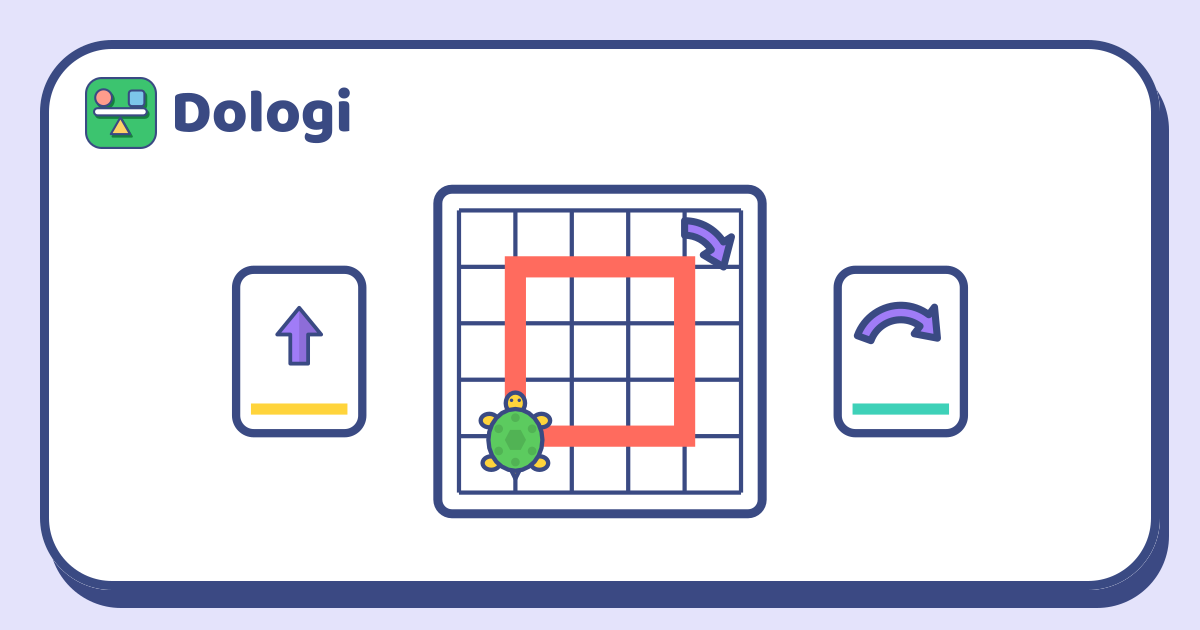
In most coding activities for children, the first thing they program is a character that moves: a cat, a robot, a little car. Very quickly they meet instructions like "go to 3, 2", "move 4 steps" and "turn 90 degrees". Behind those instructions sit two ideas from math: coordinates, which say where something is, and angles, which say which way it is facing.
Children aged about 9 to 12 can explore both with squared paper, a pencil and a bit of floor space, long before they meet the words in a math lesson. This article shows how, and why getting the numbers exactly right matters so much to a computer.
Two ways to say where to go
There are two quite different ways to direct someone:
- By position: "Meet me at the corner of the third street and the fifth avenue." You name the spot with two numbers.
- By movement: "Walk three blocks, turn right, walk two more." You describe the trip step by step from where the person is now.
Programs use both. Coordinates name a position directly. Moves and turns describe the path, and only work if you know which way the character is facing at the start. Ask your child which way they would use to direct a friend to the park, and which way a treasure map uses.
Coordinates on squared paper
Draw a grid of 6 by 6 squares and number the lines along the bottom and up the left side, starting with 0 in the bottom-left corner. A point is named by two numbers: first how far across, then how far up.
- Call out "3, 2" and let your child put a counter on the point three across and two up.
- Then call out "2, 3". Many children are surprised that it is a different point. The order of the two numbers matters.
- A phrase that helps: "along the corridor, then up the stairs".
Then play find the hidden point. One person secretly chooses a point and writes it down. The other guesses two numbers, and the answer is a clue such as "further across, and lower". Your child soon learns to fix one number at a time, which is exactly how coordinates work.
Moves and turns: be the character
Now switch to the second way. Your child stands on a square of the floor tiles, or on a big grid drawn with chalk outside, facing forward. They may only follow three commands:
- Forward a number of squares.
- Turn right 90: a quarter turn to the right, on the spot.
- Turn left 90: a quarter turn to the left.
A 90-degree turn is a right angle, the same angle as the corner of a sheet of paper. Hold up a sheet to show it. Two quarter turns make a half turn and four make a full turn, back to facing the start.
Give your child a short list of commands and ask them to predict where they will end up before walking it. Then swap: they write commands for you to follow on paper with a pencil.
Drawing a square with commands
Ask: "Which commands draw a square with sides of three squares?" Most children find it quickly:
- Forward 3, turn right 90
- Forward 3, turn right 90
- Forward 3, turn right 90
- Forward 3, turn right 90
The same pair of commands appears four times, so programmers write it as "repeat 4 times: forward 3, turn right 90". At the end, the character is back at the start and facing the same way. It has turned 4 × 90 = 360 degrees: one full turn.
The triangle surprise
Now ask for a triangle with three equal sides. A triangle like that has corners of 60 degrees, so most children try "forward 3, turn 60", three times. Try it on plain paper with a protractor, or by walking. The shape doesn't close. Repeat the commands and the path becomes a six-sided shape instead.
The reason is that the character doesn't turn by the inside corner of the shape. It turns by how much its direction changes, which is the angle outside the corner. To get back to the start facing the same way, all the turns together must make one full turn of 360 degrees. With three corners, that is 360 ÷ 3 = 120 degrees each.
| Shape | Sides | Turn at each corner | All turns together |
|---|---|---|---|
| Square | 4 | 90 | 360 |
| Triangle with equal sides | 3 | 120 | 360 |
| Hexagon with equal sides | 6 | 60 | 360 |
| Pentagon with equal sides | 5 | ? | 360 |
Let your child fill in the last line before drawing it. (360 ÷ 5 = 72.)
When the angle is a little wrong
A person drawing a square forgives small mistakes. A computer does exactly what it is told. Ask your child to walk or draw the square again with "turn right 89" instead of 90. The last side misses the starting point by a little. Repeat the square many times and the drawing slowly twists into a fan of almost-squares.
This is a good moment to talk about debugging: when a drawing goes wrong, look for the number that is slightly off, change one thing and run it again. A mistyped "9" instead of "90" is a classic example worth trying for fun.
In Dologi, the "Drive the car" puzzles in the Space topic ask your child to line up moves, such as going forward and turning, so that a little car drives over every star: the same idea of planning a path one command at a time.
In short
- Coordinates name a point with two numbers, across first and then up; the order matters.
- Moves and turns describe a path from where the character is and the way it faces.
- A square is "repeat 4 times: forward, turn 90", because all the turns add up to 360 degrees.
- A character turns by the outside angle, so an equal-sided triangle needs turns of 120, not 60.
Read more: The human robot game: screen-free coding with "when… then…" rules